METRO SOLOWORLD BANANA
Ideas & suggestions

How can we make METRO SOLO better?

Suggest ideas for the project and upvote 👍 other people’s ideas. The organizer replies and updates the status.

Log in with Discord or Telegram to post ideas and vote.

Loading…

Community

Players map

METRO SOLO is played all over the world. Each dot is a player’s city (city and country only, nothing more precise).

POP1 Power · OVR

Player cards

Tap a card to open it. Tap again to flip.

Loading…

METRO SOLO

WORLD BANANA

Every player for themselves. 5 games on Metropolis, one life, zero teammates. One player takes it all.

Saturday, October 31
22:00 MSK·19:00 London · 15:00 New York
Grand Final $300 · Metro King
Announcement

The Metro Solo season is on pause

Everyone has their own life going on, and keeping a full season going with the same lineup has become hard. Thanks to everyone who played with us!

From now on there's a new event every Saturday, each with its own rules, and you register for each event directly.

There's no event this Saturday.

🔥 Next Saturday it's METROSOLO PHOENIX, with new rules. Registration opens soon!

Tournament registration opens later

Starts in
--days
--hrs
--min
--sec
The tournament has started!Watch the stream and follow the results
Season 1 · Tournament 1

Final results

October 10, 2026 · Metropolis · 5 games

Tap a player to see the points from every game

Live chat

Ask METRO BOT anything about the site and the tournament — start with @bot

Loading…

Nothing live right nowGame streams — on METROPOLIS TVPick any streamer’s camera · tournament Saturday, October 31, 22:00 MSK
METRO SOLO VR

🥽 Watch & play in VR

Meta Quest: the rooftop, the TV and the team challenge with up to 8 friends.

How to start

  1. On your Meta Quest open the Browser and go to metrosolo.net/vr
  2. Optional: tap ⋯ → “Install app” to add METRO SOLO VR to your library
  3. Press “Enter VR” and allow the immersive session
  4. Wrist menu: look at your LEFT wrist — lights, fold panels, music, sound, exit
  5. Grab the Golden Magnum from the stand with GRAB (side button); release to put it back; trigger = fire
  6. Challenge: press “Start challenge” on the stand, shoot all 50 targets as a team, press “Stop” to end
  7. TV: METROPOLIS TV plays on the big screen, synced for your room; “2D” switches back to the site
  8. Friends: open a player card on the site → “Invite to VR”, or share your room link (up to 8)
Official

METRO SOLO guide

Season 1 video guide (archive). Each event now has its own rules — new rules coming soon.
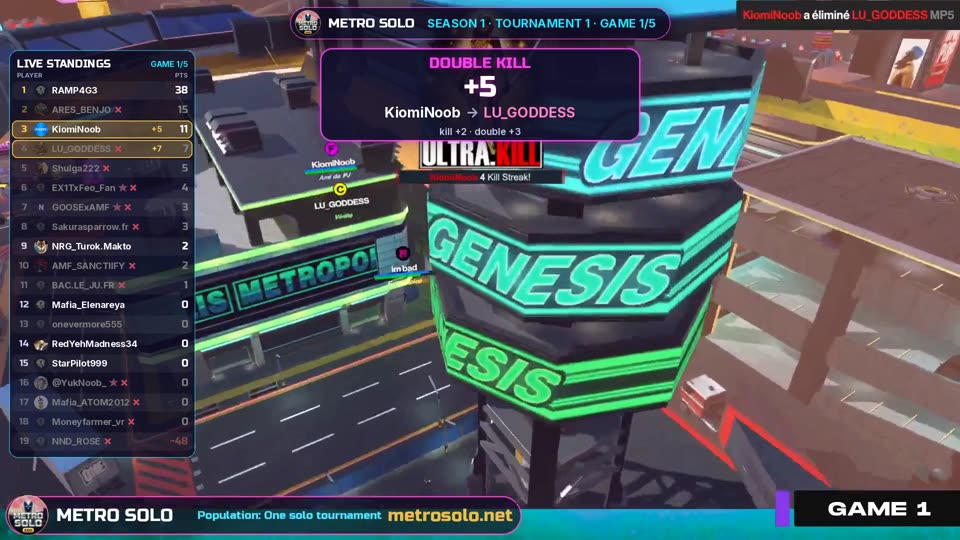
How METRO SOLO works: full guide with rules and examples

Season 1 video guide (archive). Each event now has its own rules — new rules coming soon. Open on YouTube ↗

Official guideMETRO SOLO guide

How the tournament works — registration, slides, live. English VO, ~2:24.

How it works

Format

Metropolis5 × · Solo

New rules coming soon. Each event has its own rules.

Questions

FAQ · Registration

"
What are the rules?

New rules coming soon. Each event has its own rules.

Where do I watch the stream?

The tournament stream is right on the metrosolo.net home page. The screen turns on by itself as soon as the host or an allowed player goes live (YouTube / Twitch). Tap for sound, go full screen or cast it to your TV; while it plays on the TV, your phone switches to the full-screen chat.

How do I get my pop1stats stats on my profile?

No stats? Go to pop1stats.com and get tracked — it takes a minute. Then your METRO SOLO card gets our OVR rating and tier. Full stats stay on pop1stats.com.

  1. In Population: One, put on your headset, open Friends and add a friend by code LWG3-YT9K.pop1stats bot friend codeLWG3-YT9K
  2. Wait a few minutes for the bot to accept.
  3. Open pop1stats.com, search your in-game nick and pick yourself — that turns tracking on.
  4. Your stats appear on Metro Solo after the next update (twice a day).

Open pop1stats.com ↗

How do I complain about results?

Complaints about results go through the complaints form within 24 hours after the tournament. The host’s decision is final.

Can I change my nickname?

Nickname change: in your site profile (once per 24 hours) — points stay automatically. Use the complaints form (type “Nickname change”) if you need the organizers’ help.

Two steps. 1) Site registration, open anytime: log in with Discord or Telegram and fill in your profile. 2) While applications are open, apply for the tournament with one tap.

Site registration

Next tournament
Tournament registration opens laterRegister on the site now, so you can apply as soon as applications open.

Log in with Discord or Telegram, then add your nick, country and city. A site account is required to take part in tournaments.

Who are you?

Play Population: One? Better pick “I'm a player”: signing up doesn’t commit you to any tournament. Just want to watch? Pick “I'm a viewer”.

* Telegram or Discord — at least one. Organizers only, never shown publicly.
The players map shows only your city and country.
Where you stream / post (optional)

Links to your channels. New YouTube/Twitch uploads appear on the Videos slide automatically; during a live tournament we also add your stream to multi-cam.

🎥 For streamers
  1. Add your Twitch, YouTube or TikTok to your profile (fields below).
  2. Your live stream appears on METROPOLIS TV only while you’re in our tournament lobby.
  3. Make short 1–2 min highlights — best kills, wins, funny moments: that’s what we show on the TV.
  4. Active streamers get priority for tournaments.